Pen & Notes - Handwriting, PDF Creator & Publisher1.0
Publisher Description
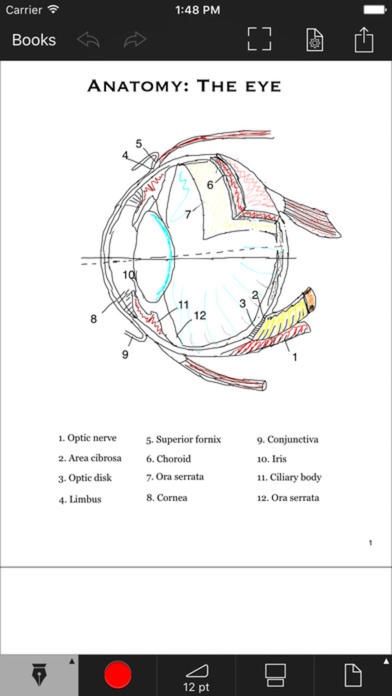
The best digital handwriting on iOS devices. Pen & Notes combines distraction- natural handwriting and sketching with the power of Evernote s sync and search. Take class or meeting notes, journal your thoughts, or outline your next big idea in the office or on the go. From the first stroke, Penultimate makes the experience of pen and paper more productive.
INK AND PAPER, MADE BETTER
Notes and drawings look spectacular in black or colored ink. Our inking technology produces pen strokes that look natural, and Wrist Protection prevents stray marks for writers of all grips. Choose from a number of paper styles, or import an image to create personalized paper.
STYLUS AND SOFTWARE BUILT TOGETHER
We worked closely with Adonit to create the stylus we've always wanted: the first true precision-point stylus. Pen & Notes integrates tightly with the stylus and together they make digital handwriting the experience it should be. It s like writing with your favorite pen.
FONTS
Are the built-in fonts not interesting enough? Install extra Truetype fonts from sites like FontSquirrel and Blambot within the app.
HIGH RESOLUTION ZOOM
Zoom more than 10 times to edit and draw even tiny details.
DROPBOX, BOX and WEBDAV
Dropbox, Box and WebDAV integration enables you to upload/download notes to your online accounts, so you can easily continue with a note you began on your iPad on your iPhone. You can even import PDF clipart, and photos onto a page from your accounts.
YOUR WRITING KEEPS PACE WITH YOU
Pen & Notes lets you work on any part of the page effortlessly. To zoom in on a location on the page, simply pinch in and start writing. With this Drift feature enabled, the page will move along with you, automatically adjusting to the pace you are working at.
Features:
iCloud support
Smooth pan and zoom
Pen and marker tools with color and thickness
Multi-page notebooks
Insert text, arrows, photos, rectangles, circles and polygons easily
Area selection, for moving and resizing large areas of your note
PDF import and export (email or other accounts)
Dropbox, Box and WebDAV support
Install additional fonts (Truetype)
Various page styles and add your own.
Fullscreen mode
FIND WHAT YOU NEED QUICKLY
No matter how you prefer to organize your work, Penultimate makes it easy to find the notes you need. Penultimate processes your notes so you can search for handwritten text in the app. Save and browse your work in notebooks and insert, delete, duplicate, and reorganize pages any way you like within them.
Requires iOS 7.0 or later. Compatible with iPhone, iPad, and iPod touch.
About Pen & Notes - Handwriting, PDF Creator & Publisher
The company that develops Pen & Notes - Handwriting, PDF Creator & Publisher is Lee Jerry. The latest version released by its developer is 1.0.
To install Pen & Notes - Handwriting, PDF Creator & Publisher on your iOS device, just click the green Continue To App button above to start the installation process. The app is listed on our website since 2016-11-28 and was downloaded 14 times. We have already checked if the download link is safe, however for your own protection we recommend that you scan the downloaded app with your antivirus. Your antivirus may detect the Pen & Notes - Handwriting, PDF Creator & Publisher as malware if the download link is broken.
How to install Pen & Notes - Handwriting, PDF Creator & Publisher on your iOS device:
- Click on the Continue To App button on our website. This will redirect you to the App Store.
- Once the Pen & Notes - Handwriting, PDF Creator & Publisher is shown in the iTunes listing of your iOS device, you can start its download and installation. Tap on the GET button to the right of the app to start downloading it.
- If you are not logged-in the iOS appstore app, you'll be prompted for your your Apple ID and/or password.
- After Pen & Notes - Handwriting, PDF Creator & Publisher is downloaded, you'll see an INSTALL button to the right. Tap on it to start the actual installation of the iOS app.
- Once installation is finished you can tap on the OPEN button to start it. Its icon will also be added to your device home screen.
